Renaming a repository
Only the repository owner can rename a repository.1
Find the repo on the dashboard
Go to the Remote Repositories tab on the dashboard (not from a local workspace). Locate the repository you want to rename.
2
Open the repo's menu
Click the … menu on the repo’s row and select Rename.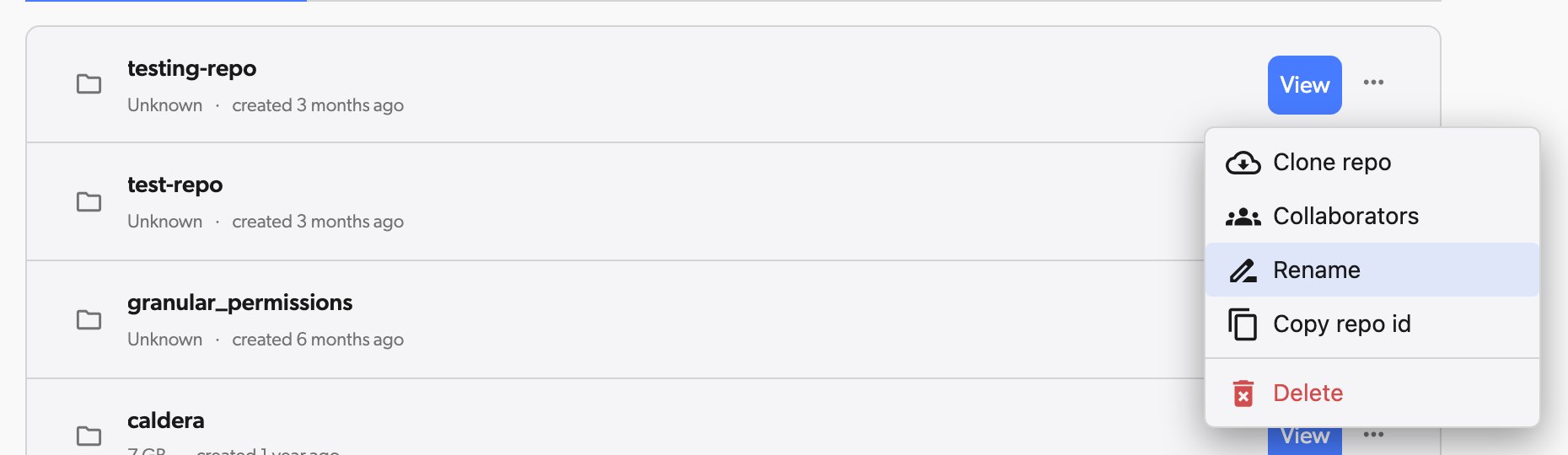
3
Enter the new name
In the Rename Repository dialog, type the new name for your repository and click Rename.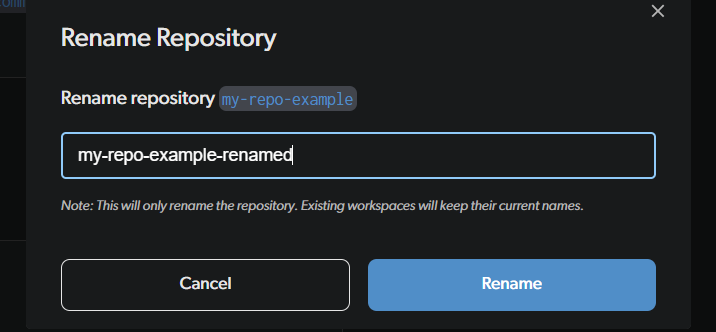
Deleting a repository
1
Find the repo on the dashboard
Go to the Remote Repositories tab on the dashboard (not from a local workspace). Locate the repository you want to delete.
2
Open the repo's menu
Click the … menu on the repo’s row and select Delete.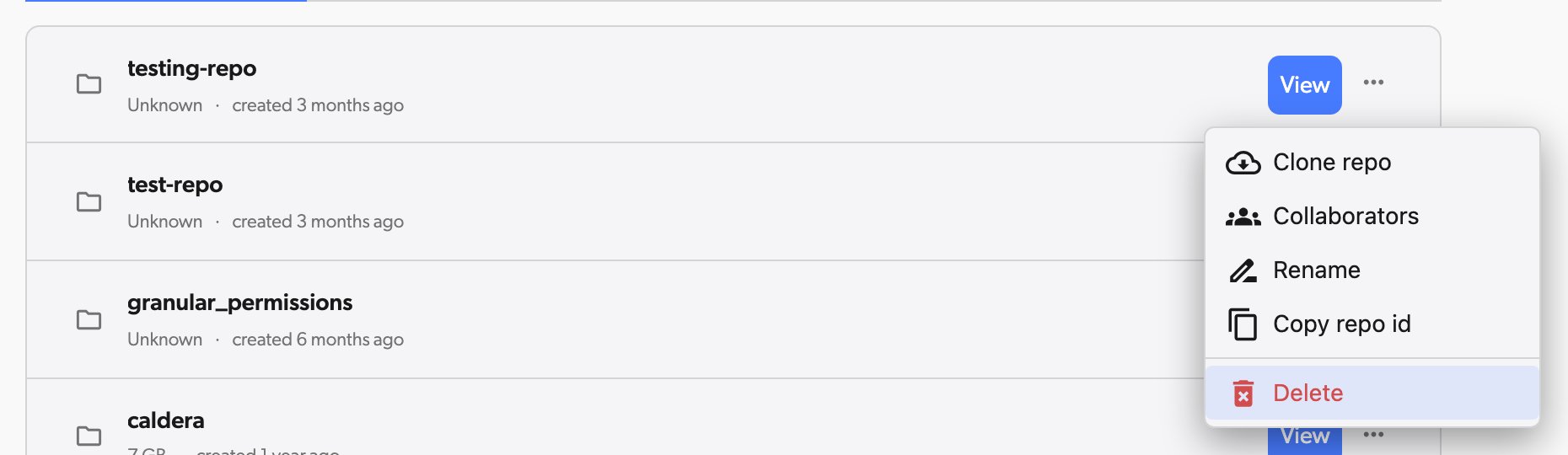
3
Confirm by typing the repository name
To prevent accidental deletion, you must type the exact repository name to confirm. Then click Delete.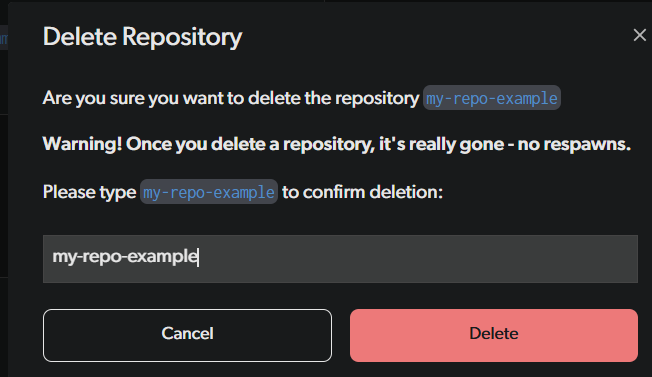
dv repo -d <repo-name>. See the repo command for details.
Your local files on disk are not deleted — only the cloud repository is removed. The local folder stops syncing and can be moved or deleted manually.
Viewing workspaces
If you are an owner or admin of a repository, you can view and manage all workspaces in that repository, including those belonging to other collaborators. This is useful for debugging issues or managing changes on behalf of a team member.1
Open your organization settings
Click on your avatar in the top navigation and select Organization settings.
2
Go to Workspaces
In the left sidebar, click Repositories, then click Workspaces in the repository column. If you are an owner or admin of multiple repositories, use the repository picker at the top of that column to pick the repository you want to inspect.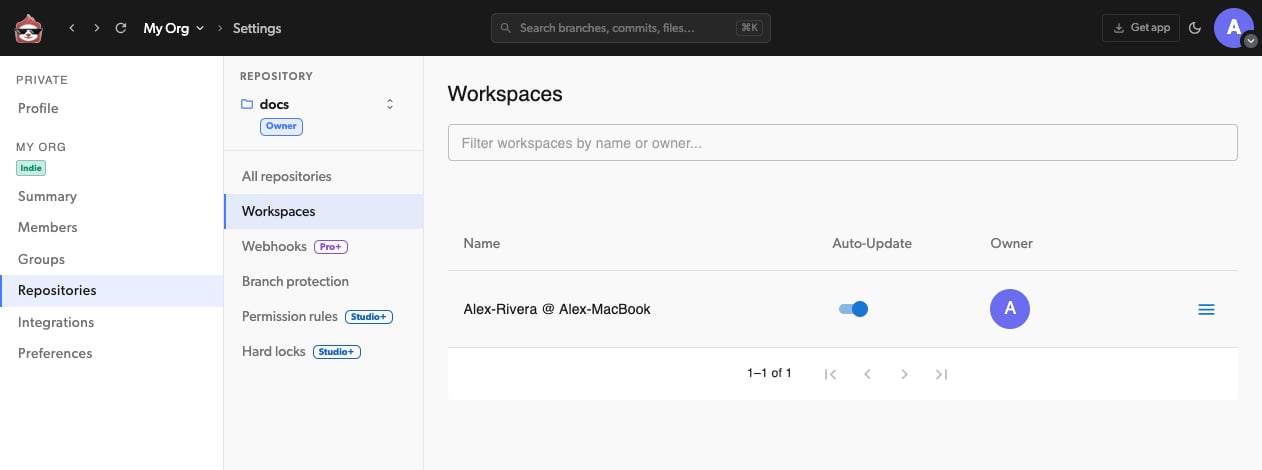
3
Open a workspace
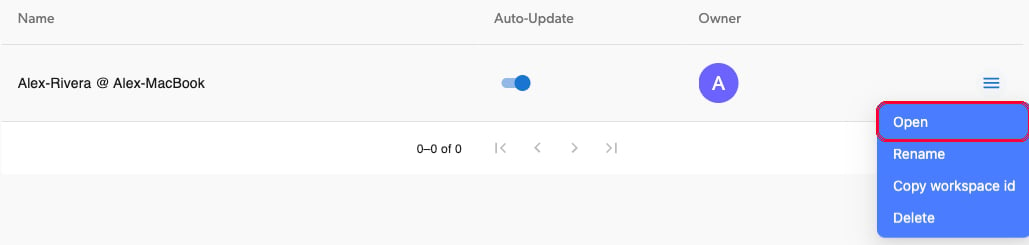
The table lists all workspaces with their name, auto-update status, and owner. Click the actions menu on a workspace and select Open to view its contents and pending changes. You can also Rename or Delete workspaces from this menu.