

The search box above the file tree finds files and folders by name. It is the same box in the workspace panel, on a commit or shelf page, and in the folder pickers: Choose folders to sync, Move, Upload, and New folder.

Plain text

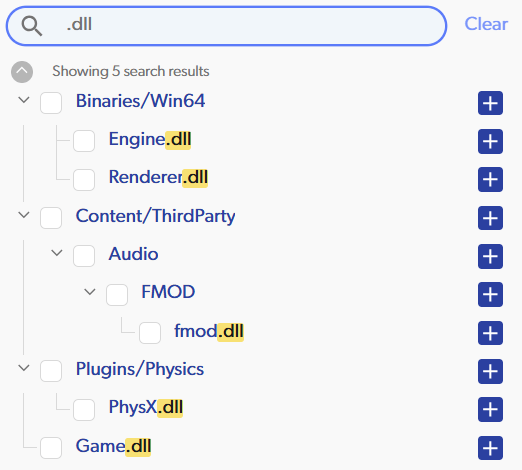
Type part of a name. For example, .dll finds every file or folder whose name contains .dll, in any folder, including core.dll.meta. Upper and lower case do not matter. The file tree searched for .dll, showing every file whose name contains .dll with the text highlighted
Patterns with *

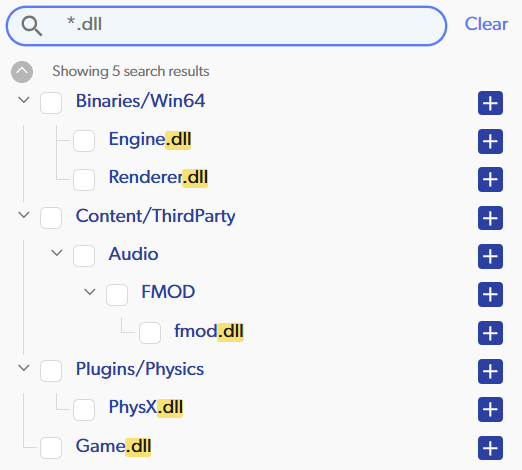
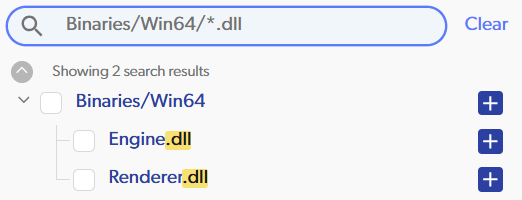
Add * to match a whole name instead of part of it. *.dll finds every file ending in .dll, wherever it is in the repository: The file tree searched for *.dll, showing every .dll file in the workspace with .dll highlighted Put a folder name in front to search only there. Binaries/Win64/*.dll finds the .dll files directly inside that folder: The file tree searched for Binaries/Win64/*.dll, showing only the two .dll files in that folder A pattern must match the end of the path, starting at a folder boundary. The rules:
  • * stands for any characters within one name, including none.
  • ** as a whole folder name stands for any number of folders, including none.
  • A leading / starts the pattern at the top of the repository.
  • Every other character stands for itself, including ? and ..
  • Upper and lower case do not matter.
Results show the matching files and the folders above them. In a workspace cloned to your computer, the search runs locally, so results are instant even on large projects.