Only the organization owner and members with the billing role or Admin + billing can access the billing portal. Other members can ask one of them for invoice copies.
Accessing the billing portal
1
Open Plan & billing
Click on your avatar in the top navigation and select Plan & billing.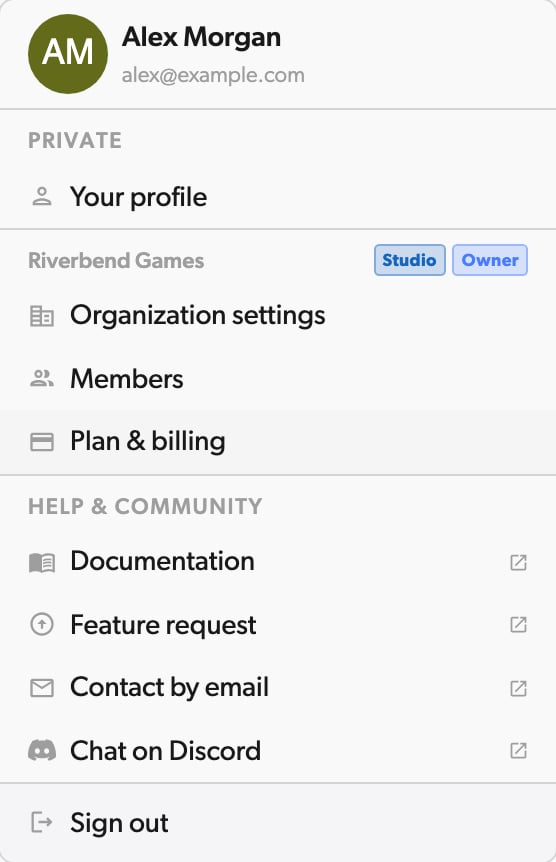
2
Browse the billing portal
You’ll be redirected to the billing portal where you can: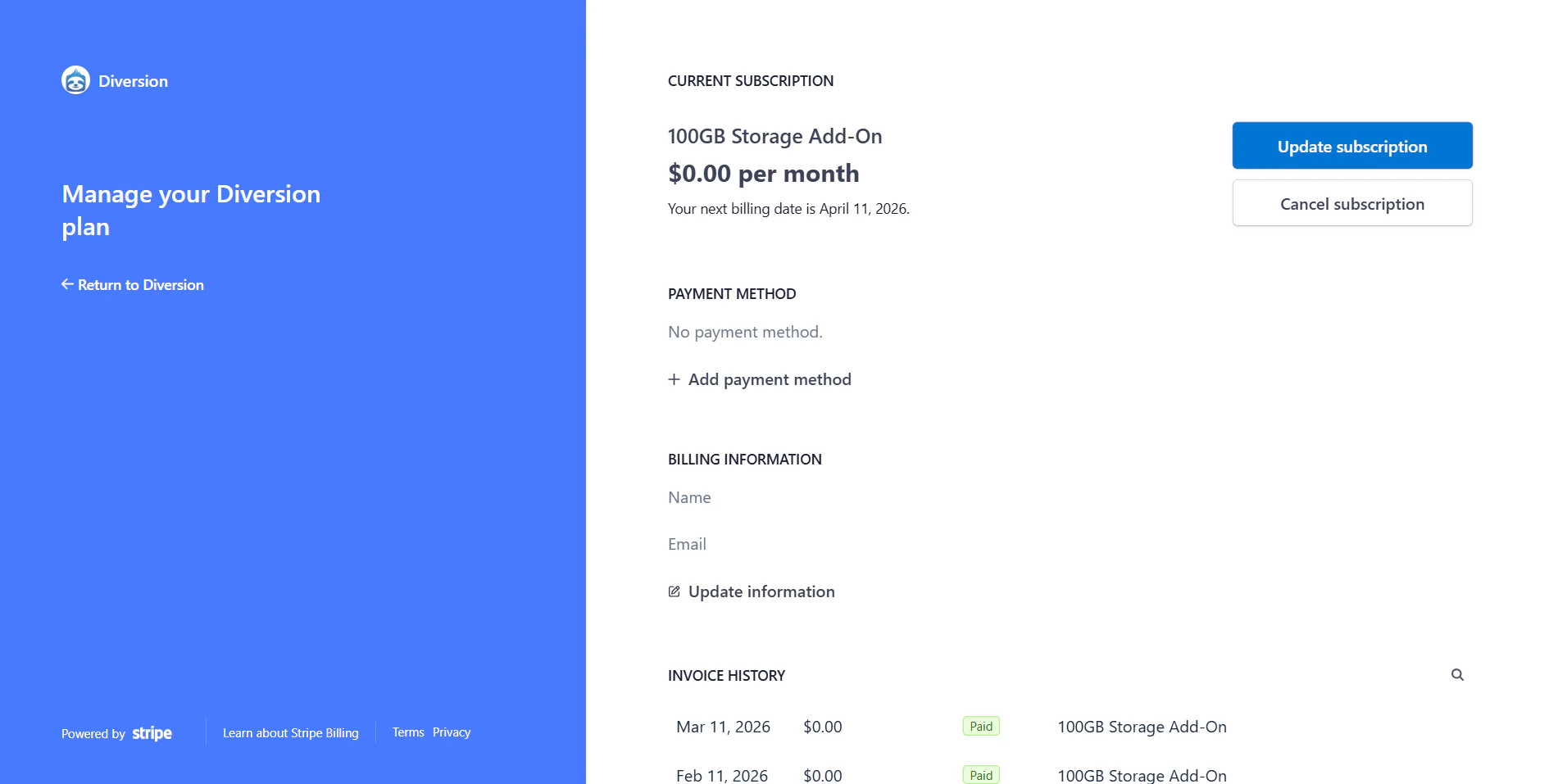
- View and download past invoices and receipts
- Update your payment method
- View your current subscription details
- Adjust user seats and storage
Downloading an invoice
In the billing portal, locate the invoice you need in the invoice history section. Click on the invoice to view its details, then use the download or print option to save a copy.
Managing your payment methods
In the billing portal, find the payment method section and click Add payment method to add your credit card or other payment method.You cannot remove your default payment method while you have an active plan. To change it, add a new payment method and set it as default first, then remove the old one.
Adjusting user seats and storage
You can change the number of user seats and the amount of storage on your subscription at any time from the billing portal. There is no need to cancel and subscribe again.Only the organization owner and members with the billing role or Admin + billing can change seats and storage.
1
Open Plan & billing
Click on your avatar in the top navigation and select Plan & billing to open the billing portal.
2
Update your subscription
Under Current subscriptions, user seats and storage are listed separately. Click Update subscription next to the one you want to change.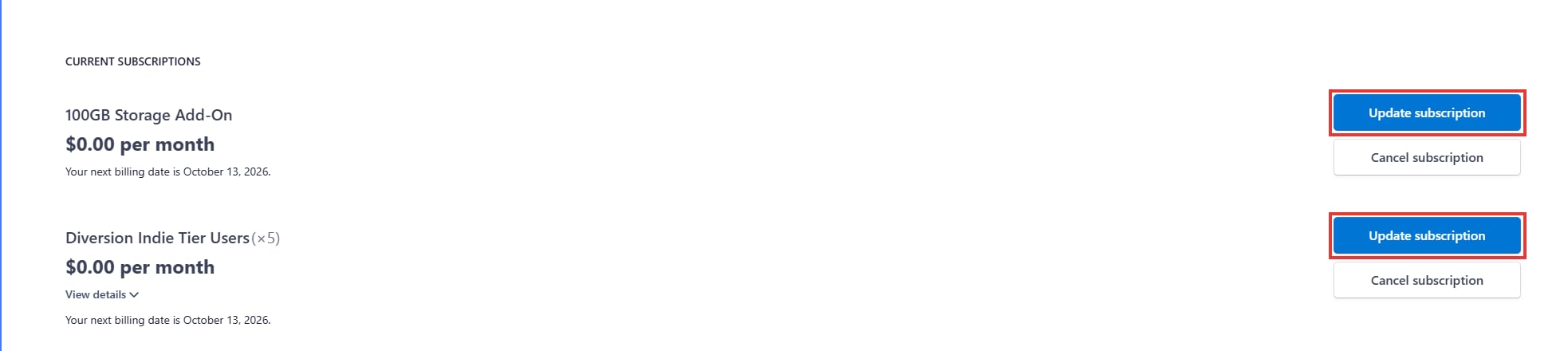
3
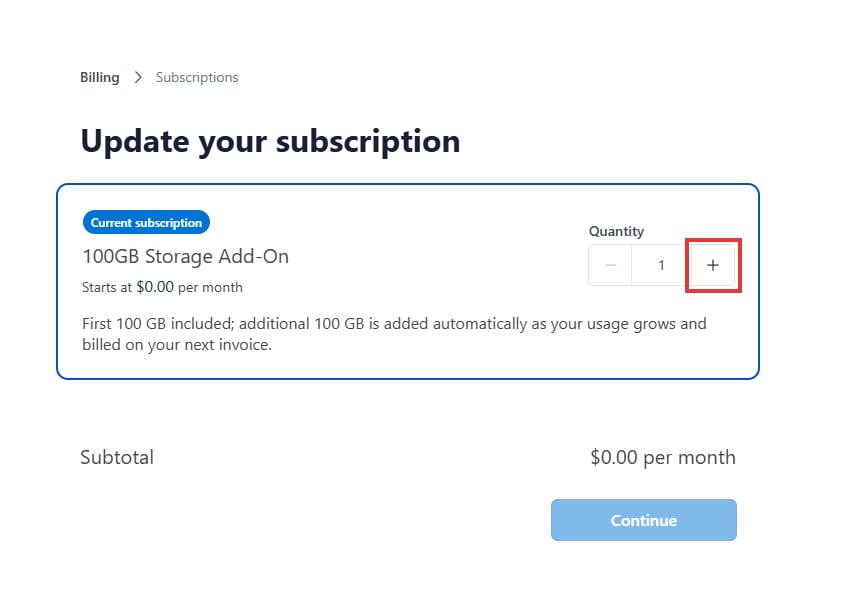
Set the new quantity
For user seats, set Quantity to the total number of users you need. For storage, set it to the number of 100 GB blocks you need. Click Continue. The portal shows the new price before you confirm.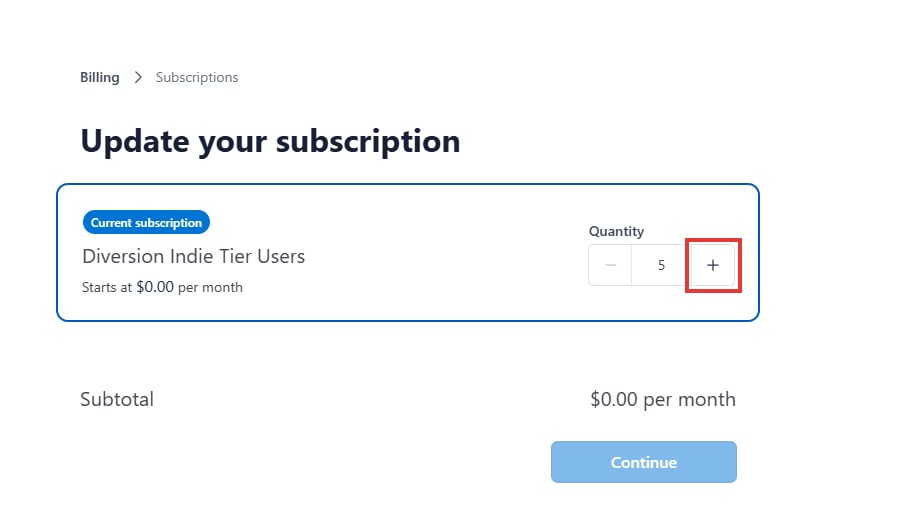
4
Confirm the change
Review the summary and click Confirm. To change both seats and storage, repeat these steps for the other subscription.
Changing your seats or storage does not delete any repositories, commits, or history. If your organization has more members than seats, or uses more storage than its allowance, you will see a plan limit message until you adjust the subscription or reduce usage.
Canceling your subscription
1
Open Plan & billing
Click on your avatar in the top navigation and select Plan & billing to open the billing portal.
2
Cancel your subscription
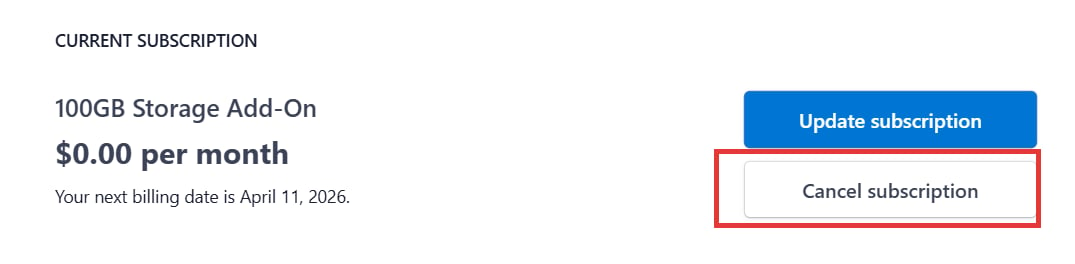
Under Current subscriptions, click Cancel subscription.