

Coming from Perforce, where an exclusive checkout holds a file until it is released? See Coming from Perforce for how the two models compare.
Where you see a soft lock
The indicator flags files that have been changed somewhere else in the repository — uncommitted edits in another workspace, or commits on another branch. In the desktop and web app, a badge appears next to the file in the tree view.
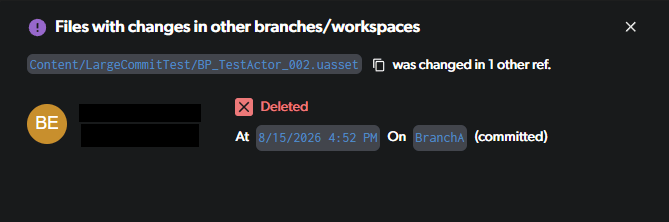
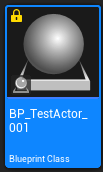
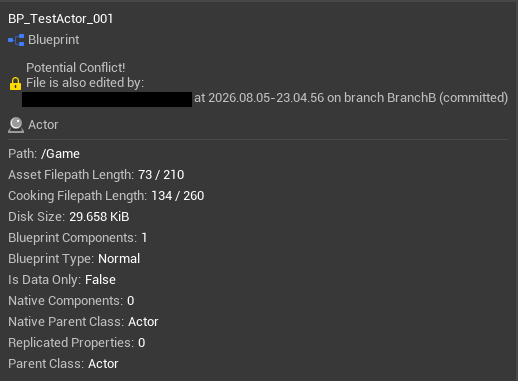
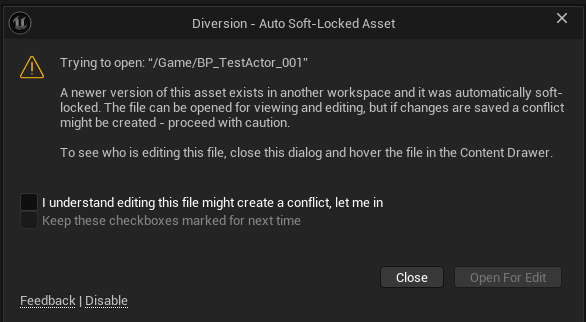

What happens when two people edit the same file
Because a soft lock does not block anyone, two people can edit the same file at once and Diversion reconciles the difference afterwards. This is the sequence when both are on the same branch:1
User A starts editing
User A modifies
Level.umap. Nothing is reserved, and the file stays writable for everyone.2
User B sees the soft lock
A warning icon appears on that file for everyone else on the branch, and clicking it shows that User A is editing.
3
User B edits the file anyway
Nothing blocks them. There is no checkout to wait on, and nobody to chase for a release.
4
User B commits first
User B’s version becomes the latest on the branch.
5
User A resolves the conflict
A conflict arises with User A’s uncommitted changes, and User A resolves it — see Conflicts.
Soft locks and binary files
Text files can be merged line by line, so a conflict on one is usually a small cleanup. Binary assets such as.umap, .uasset, and .fbx cannot be merged — one version has to win, and the other person’s work has to be redone. The exception is Blueprints, which can be merged with the Unreal plugin.
This makes the soft lock indicator most valuable on exactly those files. Treat it as a prompt to talk to your teammate before starting, rather than something to resolve afterwards.
If that is not reliable enough for your team, Hard Locks block the second commit outright and can lock matching files automatically by extension. Hard locks are available on Studio and Enterprise plans.