

This page is available on Diversion cloud. On a self-hosted install, contact support.
Install the plugin
Before you start:- Install Diversion, so that
dvis on yourPATH. See the Quickstart. - Start Claude Code from your Diversion workspace folder, or a folder inside it.
/quit) and start it again from your workspace folder:
Stop recording
While the plugin is on, it records new sessions again. Turn it off before you delete, on each computer where you use it. Inside Claude Code, run:/plugin uninstall diversion@diversion instead. Then restart Claude Code, so that sessions that are already open stop recording too.
Delete your transcripts
1
Open Settings > AI
Open Settings > AI in the Diversion web app. The page shows Delete Claude Code session transcripts.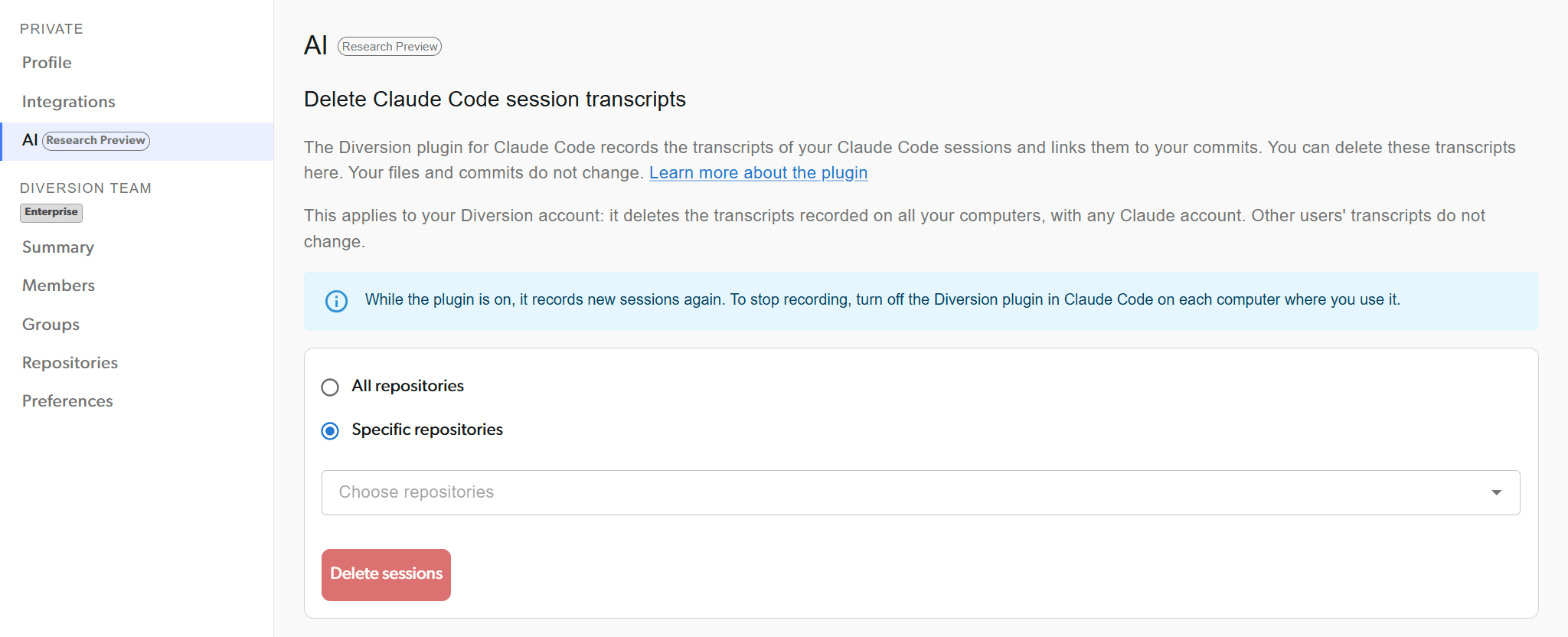
2
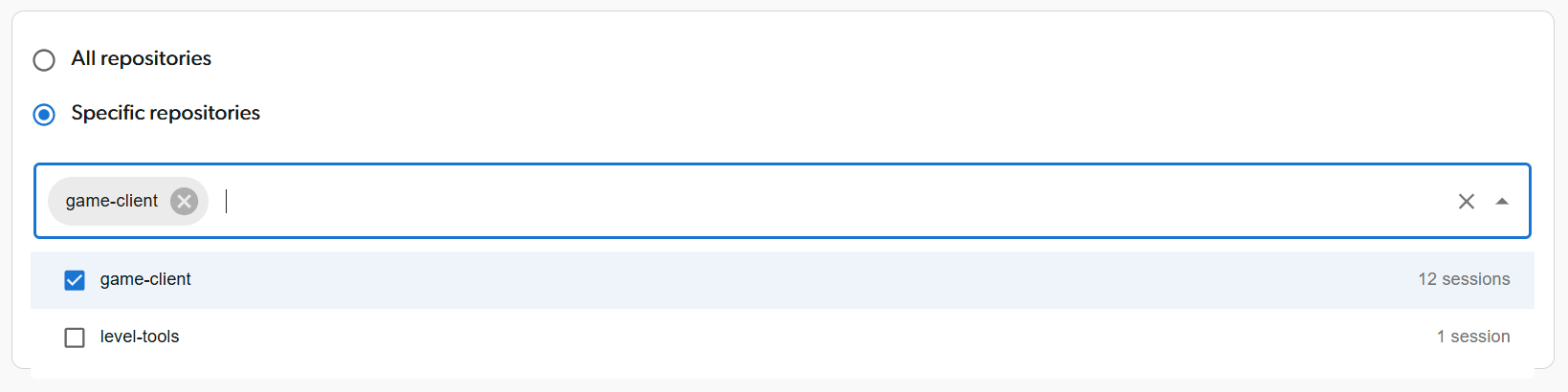
Choose where to delete
- Choose All repositories to delete every transcript you recorded.
- Or choose Specific repositories, then pick them in Choose repositories. Each repository shows how many sessions it has. You can choose up to 10 repositories in one request.
3
Delete
Click Delete sessions, then Delete to confirm.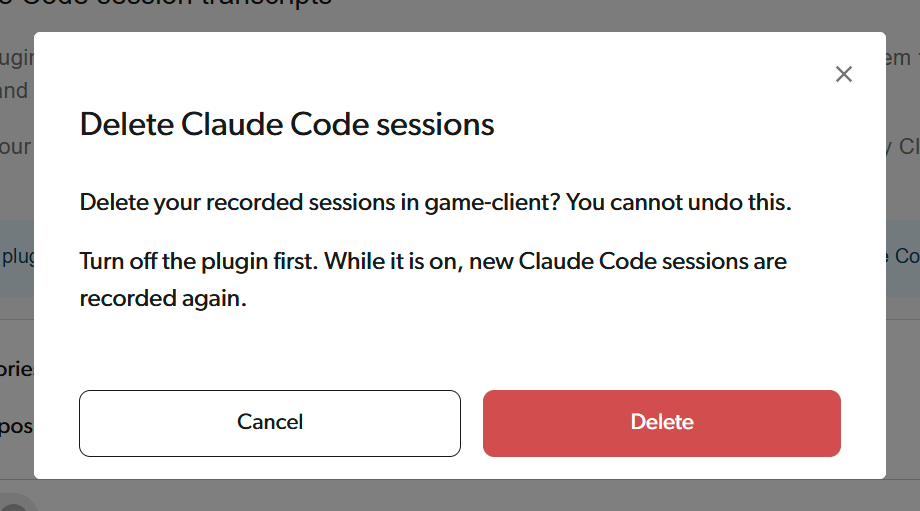
4
Wait for it to finish
The page shows the progress while it deletes. When it is done, you see Claude Code sessions deleted. If you chose All repositories, the page then shows “You have no recorded Claude Code sessions.”If you see “The deletion stopped before it finished. Try again.”, click Delete sessions again.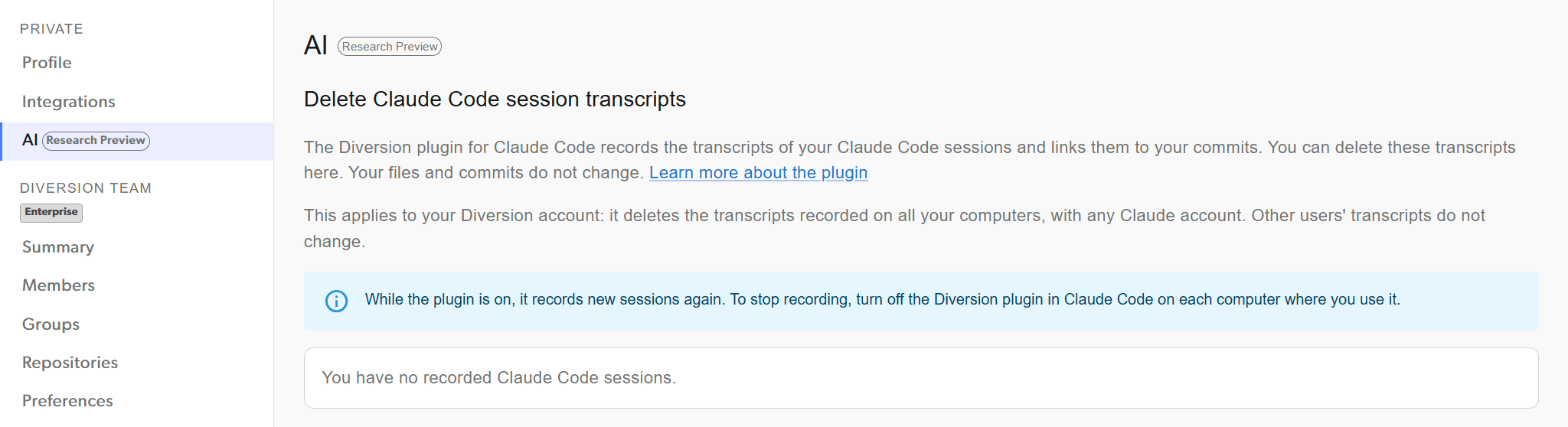
What gets deleted
- The deletion removes your recorded sessions, their transcripts, and their checkpoints in the repositories you chose.
- It applies to your Diversion account: it deletes the transcripts recorded on all your computers, with any Claude account.
- Other users’ transcripts do not change.
- Your files and commits do not change, but your commits no longer show a transcript.