

Open Quick access
- Press Ctrl+K (Cmd+K on Mac).
- Or click the search box at the top of the window.
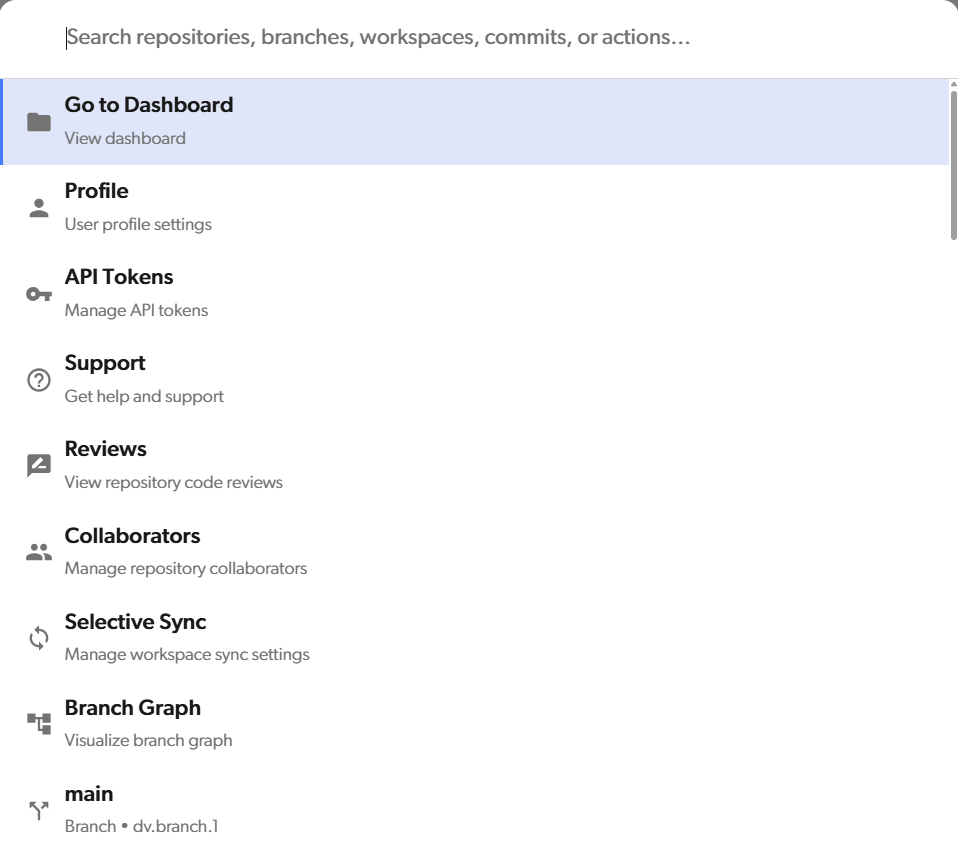
Find what you need
Start typing to filter the list. Use the ↑ and ↓ keys to move through the results, and press Enter to open one. You can also click a result. What you can find depends on where you are:- Anywhere: your repositories, and the Go to Dashboard, Profile, API Tokens, and Support actions.
- Inside a repository: also its branches, workspaces, and commits, and the Reviews and Collaborators actions. When a workspace is open, you also get Selective Sync and Branch Graph.
Branches, workspaces, and commits
- Branch: opens the branch in read-only mode. Your workspace stays on its current branch. To switch, see Switching branches.
- Workspace: opens that workspace.
- Commit: type at least 3 characters of the commit message or the commit ID. Quick access searches commits on all branches of the repository and opens the commit you pick. On the branch graph, it selects the commit in the graph instead.