> ## Documentation Index
> Fetch the complete documentation index at: https://docs.diversion.dev/llms.txt
> Use this file to discover all available pages before exploring further.
# UE Plugin - Module could not be loaded
> "Plugin 'Diversion' failed to load because module 'Diversion' could not be loaded"
If Unreal Engine shows the following error when you open your project, the editor found the Diversion plugin but could not load its compiled binaries:
> Plugin 'Diversion' failed to load because module 'Diversion' could not be loaded. There may be an operating system error or the module may not be properly set up.
This is a local issue with the plugin's `Binaries` folder and has nothing to do with your repository or the Diversion agent. There are two possible causes:
1. **The binaries are missing.** The plugin's `Binaries` folder is empty or incomplete, so there is no module for the editor to load.
2. **The binaries were built for a different Unreal Engine version.** Every plugin binary carries a `BuildId` that must match the running engine. If the plugin was installed for another engine version, the engine was upgraded without reinstalling the plugin, or plugin binaries built on one machine were copied to a machine running a different engine version, the editor refuses to load the module.
Choose the fix that matches how the plugin is installed.
## The plugin was installed from Fab
Reinstall the plugin from the Fab store to the exact engine version your project uses. Start from the store listing rather than from the Launcher's library - installing from the library alone does not reliably replace the broken binaries. You do not need to open the project to do this.
Open the Epic Games Launcher, go to the `Fab` tab, and search for `Diversion`. Open the plugin's listing.
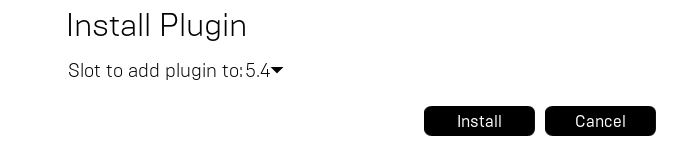
On the listing, click `Install to Engine`. Choose the engine version your project uses - it must match exactly, down to the minor version - and click `Install`.
 Launch the project again. The plugin should now load.
Repeat this every time you upgrade the engine. A plugin installed to `UE_5.5` is not picked up by `UE_5.6`.
## The plugin is inside the project folder
If the plugin lives in your project's `Plugins/Diversion/` folder - for example, because you [built it from source](/unreal/unreal-engine-plugin#installing-the-plugin) or a teammate committed it to the repository - the binaries need to be rebuilt for your engine.
Close the editor, then delete the `Plugins/Diversion/Binaries/` folder inside your project. Delete `Plugins/Diversion/Intermediate/` too if it exists.
Launch the project. Unreal Engine detects the missing binaries and offers to rebuild the plugin - click `Yes`. This requires a C++ toolchain (Visual Studio on Windows, Xcode on Mac).
Avoid committing `Plugins/Diversion/Binaries/` and `Plugins/Diversion/Intermediate/` to your repository. Built binaries only work on the engine version that produced them, so sharing them across machines is a common cause of this error. Add these folders to your [`.dvignore`](/basic/dvignore) instead.
If the error persists, open a support ticket from the Diversion desktop app, or run [`dv support`](/cmd-ref/support).
Launch the project again. The plugin should now load.
Repeat this every time you upgrade the engine. A plugin installed to `UE_5.5` is not picked up by `UE_5.6`.
## The plugin is inside the project folder
If the plugin lives in your project's `Plugins/Diversion/` folder - for example, because you [built it from source](/unreal/unreal-engine-plugin#installing-the-plugin) or a teammate committed it to the repository - the binaries need to be rebuilt for your engine.
Close the editor, then delete the `Plugins/Diversion/Binaries/` folder inside your project. Delete `Plugins/Diversion/Intermediate/` too if it exists.
Launch the project. Unreal Engine detects the missing binaries and offers to rebuild the plugin - click `Yes`. This requires a C++ toolchain (Visual Studio on Windows, Xcode on Mac).
Avoid committing `Plugins/Diversion/Binaries/` and `Plugins/Diversion/Intermediate/` to your repository. Built binaries only work on the engine version that produced them, so sharing them across machines is a common cause of this error. Add these folders to your [`.dvignore`](/basic/dvignore) instead.
If the error persists, open a support ticket from the Diversion desktop app, or run [`dv support`](/cmd-ref/support).